

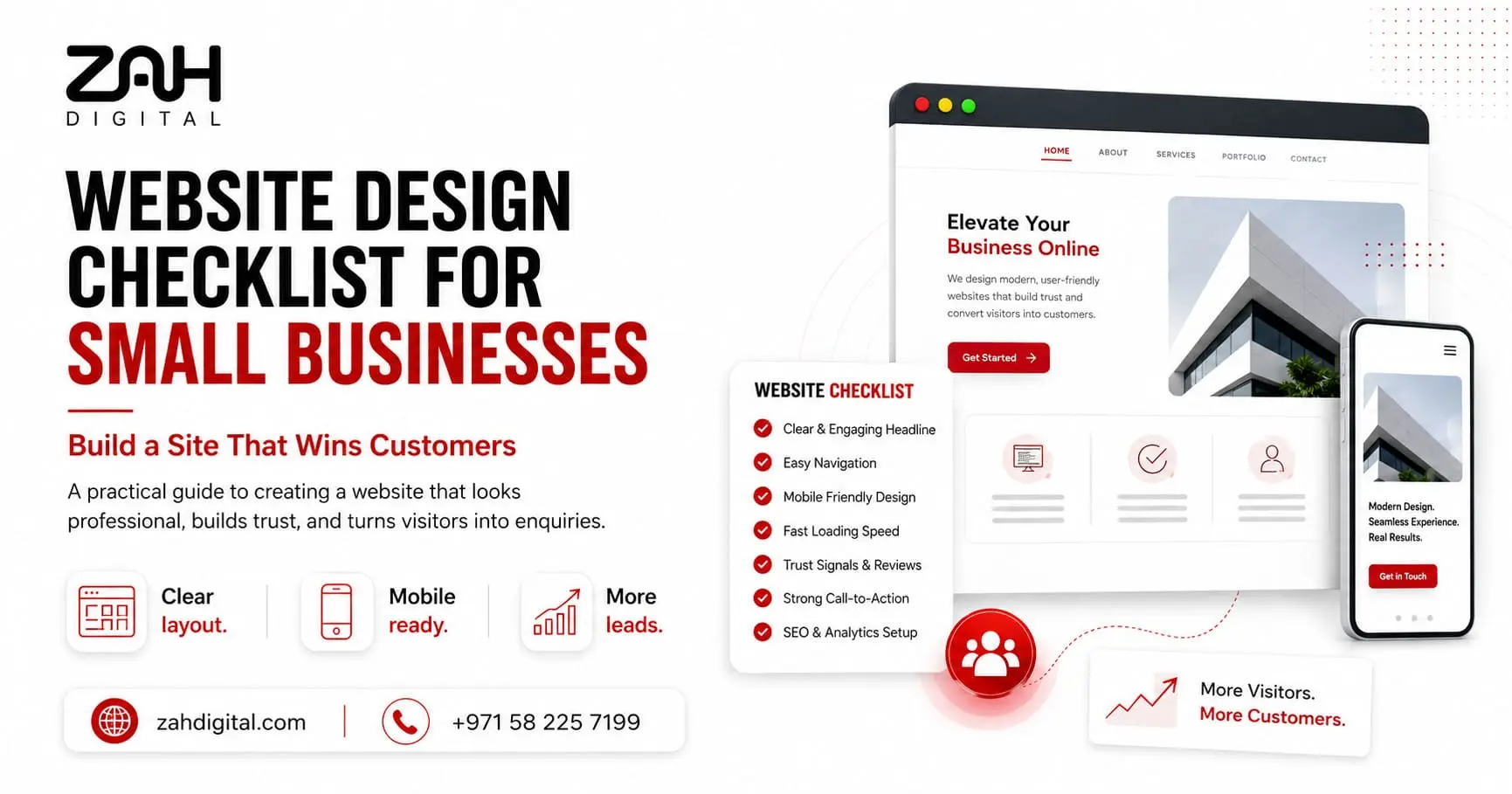
A small business website must do more than look attractive. It will need to explain what you offer. Earn trust quickly. Appear in search results. Also guide visitors towards taking action.
This sounds straightforward. But many business owners start choosing colours. Images. Also templates. Before deciding what the website must achieve. So they often end up with a polished site that loads slowly. Confuses visitors. Or generates very few enquiries.
This website design checklist will cover the essential planning. Design. Content. Performance. Security. Also search optimisation steps. Every small business must consider before launching a new website.
Why Small Businesses Need a Website Design Checklist
A website design checklist will be a practical roadmap. That keeps a web project focused on business goals. Rather than appearance alone.
Small businesses will usually work with tighter budgets and smaller teams. Missed details will lead to costly redesigns. Weak Google visibility. Or lost leads. A checklist will also help business owners compare designers. Review progress. Also confirm that the finished website meets modern technical standards.
Good small business website design. This will create a smooth journey from the visitor’s first click to the final enquiry. Booking. Call. Or purchase. Get details on Website Designing Service in Dubai.
Pre-Design Planning Essentials
Before design work begins. Define the website’s purpose. Do you want phone calls, quote requests, shop visits, online bookings, or direct sales? Once the goal becomes clear. Every page will support it.
Identify your ideal customers and the questions they ask. Before choosing a provider. A local plumbing company will need service-area pages. Emergency contact buttons. Customer reviews and clear pricing guidance. Whereas a consultancy will need case studies. Detailed service explanations. Also lead-generation forms.
Your planning checklist must include:
- Primary website goal
- Target customer profile
- Required pages and features
- Domain name and hosting
- Competitor research
- Content and keyword plan
- Conversion goals for each page
- Brand colours, fonts, and imagery
Mobile Responsiveness and Speed Optimisation
Responsive website design allows a website to adjust correctly. Across mobiles and tablets. Laptops and desktop screens.
Mobile-first design will matter. Because many customers will find your business through a phone. So buttons must remain easy to tap. Forms should stay short. Also text must be readable without zooming.
Page load speed can also affect user experience and search performance. Large images. Excessive plugins. Weak hosting and poorly written code will slow a website considerably. So visitors can leave before the page fully appears. Looking for a Performance Marketing Agency in Dubai?
Website Performance Factor | Recommended Target | Why It Matters |
Main page load time | Under 3 seconds | Reduces visitor drop-off |
Mobile-friendly layout | 100% responsive | Supports mobile users |
Image file size | Usually under 200 KB | Improves page load speed |
Core navigation depth | Within 3 clicks | Helps users find information |
Contact form length | 3–6 fields | Encourages more submissions |
SEO-Friendly Website Structure
An SEO-friendly website uses a clear page hierarchy. Descriptive URLs. Useful headings. Optimised metadata. Internal links and crawlable content.
Each major service must have its own dedicated page. For example, placing five unrelated services on one page makes it harder for Google and potential customers to understand your expertise. We create focused pages with relevant keywords. Direct answers. Benefits. Proof and calls to action.
Your web development team must create an XML sitemap. Configure redirects correctly. Optimise title tags. Add image alt text. Also connect Google Search Console and analytics tools.
User Experience and Navigation Best Practices
User-friendly website design will help visitors find what they need quickly. Also complete an action without confusion.
Keep the main menu simple. Labels like “Services,” “About,” “Projects,” and “Contact” will work better than vague or overly creative wording. Place important information where users expect to find it.
A strong UX/UI design must include:
- Clear visual hierarchy
- Consistent buttons and fonts
- Readable paragraph spacing
- Visible contact options
- Short forms
- Logical internal links
- Accessible colour contrast
- Helpful error and confirmation messages
Every page must give the visitor a sensible next step. Get details on Social Media Marketing Service in Dubai.
Trust Signals and Essential Content Elements
Trust signals can reassure visitors that your business is genuine. Experienced and capable.
Add authentic testimonials. Client logos. Licences. Certifications. Project photographs. Guarantees. Also case studies where relevant. But avoid generic stock claims like “We are the best”. Unless you can support them with evidence.
Your contact details must remain consistent across the website. Use prominent calls to action such as “Request a Quote,”. “Book a Consultation,”. Or “Call Our Team.”
These elements will strengthen professional website design. Because they connect visual quality with credibility and conversion.
Security and Maintenance Checklist
Website security must form part of the original build. Not an afterthought.
Install an SSL certificate. Use strong administrator passwords. Activate backups. Update plugins. Also protect forms from spam. Choose reliable hosting and limit unnecessary software.
After launch. Review broken links. Form submissions. Website speed. Analytics. Security alerts. Also software updates regularly. Ongoing maintenance will keep the website useful. It reduce the risk of downtime or hacking.
Related Services:
» AEO Optimization Agency in Dubai
» CRO & Funnel Optimization Service in Dubai
Common Website Design Mistakes Small Businesses Make
Common mistakes will include using crowded layouts. Weak calls to action. Slow-loading images. Copied content. Confusing menus and missing mobile checks.
Another frequent problem will involve designing the website. Around the owner’s preferences. Rather than the customer’s needs. A favourite colour or animation may look impressive. However, it adds little value when visitors cannot quickly understand the service.
Skipping SEO during development will often lead to expensive corrections later. Following proven website design tips for small businesses. From the beginning saves time. Protect the budget. Also improves long-term performance.
Related Articles:
» Technical SEO Basics for Business Websites
» How to Build an SEO Strategy Before Launching a Website?
» How to Use Search Console for SEO Growth?
» How SEO Brings Qualified Leads to Your Business?
» Best SEO Strategy for Multi-Location Businesses
Build a Better Business Website with ZAH DIGITAL
A successful business website will combine strategy and design. Content. Speed. Security and conversion planning. Every element must work together.
ZAH DIGITAL will provide result-focused website design services for small businesses. That need more than a standard template. As a professional website design company. We create responsive and search-friendly. Also conversion-led websites. Built around your customers and business goals.
Contact ZAH DIGITAL today. To discuss a website that looks professional. Performs smoothly. Also helps turn online visitors into real enquiries.
FAQs: Website Design Checklist for Small Businesses
A website design checklist must include business goals. Target customers. Page structure. Branding. Mobile responsiveness. Page load speed. SEO settings. Navigation. Calls to action. Contact details. Security. Analytics. Backups and post-launch maintenance. It must cover the visible design and the technical systems behind the website.
A professional website will help a small business build credibility. Attract search traffic. Explain its services. Also generate enquiries at any time of day. It will also give customers a reliable place to verify contact details. Read reviews. Compare solutions. Also decide whether the business meets their needs.
A small business website will cost from a few hundred dollars. For a basic template to several thousand dollars. For a professionally planned custom site. The final price will depend on page count. Design complexity. Content. E-commerce features. Booking systems. SEO work. Integrations and ongoing maintenance requirements.
A standard small business website will often take four to eight weeks to design and develop. But the schedule will depend on the number of pages. Content availability. Client feedback. Custom functionality. Also revision requirements. Preparing images. Branding and copy. Before development will usually shorten the project timeline.
Most small business websites will need a homepage. About page. Individual service pages. Contact page. Privacy policy. Also frequently asked questions page. Depending on the business. The website will also need location pages. Testimonials. Case studies. A blog. Online booking. Product pages. Or a portfolio.
A mobile-friendly website will automatically adjust its layout. Text. Images. Forms and navigation to smaller screens. Buttons will remain easy to tap. Content loads quickly. Also visitors can complete tasks without zooming. Or scrolling sideways. Responsive design will also improve usability across tablets. Also different mobile devices.
A small business website must ideally load its main content within three seconds. Faster websites will generally provide a better user experience. It will reduce the likelihood that visitors will leave. Image compression. Quality hosting. Clean code. Caching. Also limited third-party scripts will significantly improve page load speed.
Website design can improve SEO by creating a logical page structure. Mobile-friendly layout. Fast loading speed. Clean navigation. Accessible content. Also strong internal linking. Search engines can understand and crawl the website more easily. While visitors are likely to remain on the site. Also explore additional pages.
A business website must include genuine reviews. Testimonials. Accreditations. Licences. Client logos. Project photographs. Clear contact details. Secure browsing. Warranties and case studies. These elements will help visitors confirm that the company is credible. Experienced. Transparent. Also capable of delivering the service it promotes.
Yes, important services should usually have separate pages. Dedicated service pages will allow businesses to explain each offering clearly. Answer specific customer questions. Target relevant search keywords. Also use focused calls to action. They will help search engines understand which services the company provides. Also where it operates.
A small business website must receive technical updates. Security checks. Also backups at least monthly. Business information. Pricing. Staff details. Offers. Also service content should be reviewed whenever changes occur. Fresh articles. Case studies. FAQs can support ongoing SEO and customer engagement.
A DIY website can suit a new business. With a limited budget and very simple requirements. But template limitations will affect speed. Branding. SEO. Functionality and conversion performance. A professionally designed website will usually offer stronger customisation. Technical support. Scalability and alignment. With long-term business goals.